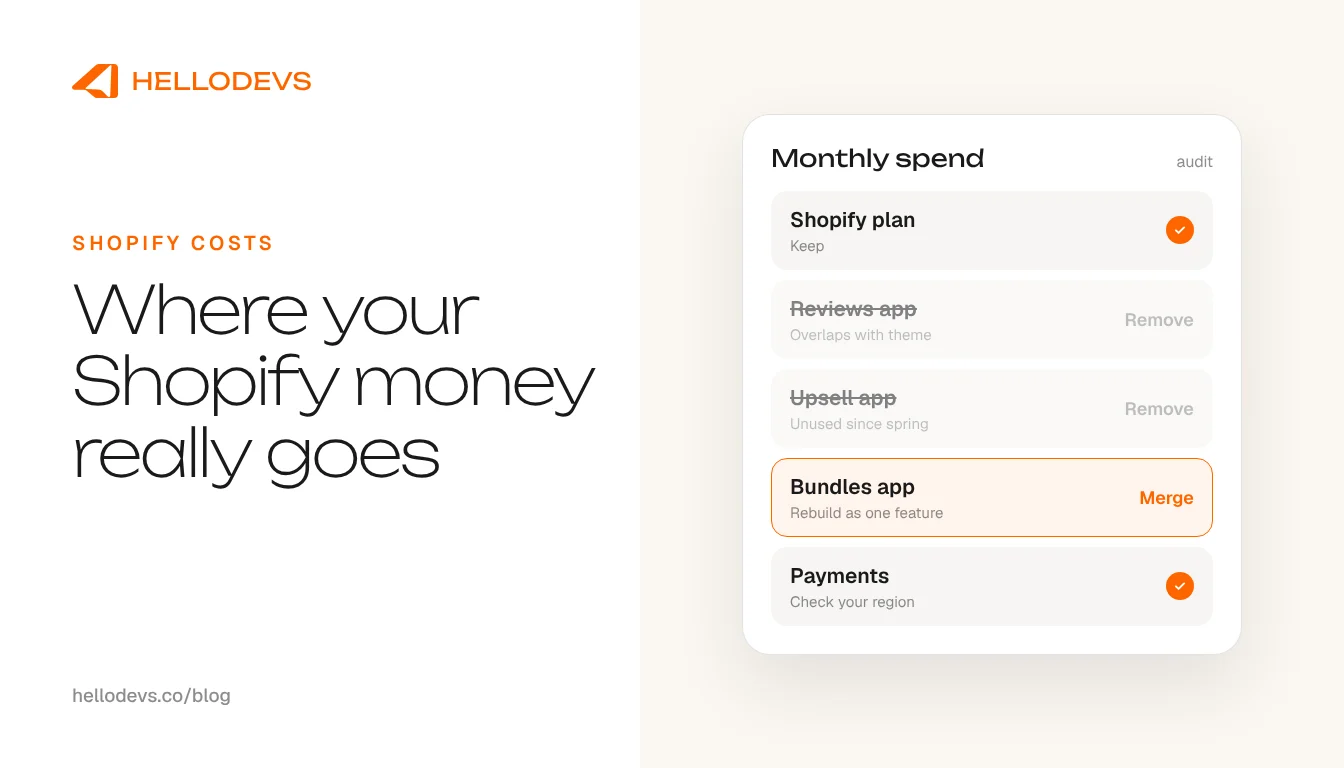
Shopify Monthly Costs: Where the Money Actually Goes

HelloDevs
Oct 15, 2026
Shopify monthly costs are rarely one number. The plan is the part everyone can see. The rest arrives as small recurring charges, each reasonable on its own, that nobody ever reviews together. Then the card statement lands and the question changes from 'how much does Shopify cost per month?' to 'what exactly are we paying for?'
This guide walks through where the money in a Shopify store goes, why the app line is the one that grows without anyone deciding it should, and how to audit it. We have deliberately not quoted plan prices or fee percentages. They change, and they differ by country, so check Shopify's current pricing page for your region before you build a budget around any figure you read online, including ours.
What makes up Shopify monthly costs
When people ask about the cost of running a Shopify store, they usually mean the subscription. A realistic Shopify store cost has five parts, and only the first is a single clear number.
The plan
The subscription is the fixed, visible part. Which plan fits depends on staff accounts, reporting needs and the features you rely on. Review it once a year rather than leaving it wherever it was on launch day.
Apps
Every app with a recurring charge adds a line. Some are essential. Many were installed to solve one problem and have kept billing ever since. This is the line most likely to drift, and the rest of this guide spends most of its time here.
Theme and design
A theme is often a one-off purchase or a free download, but customising it takes time, and so does keeping it compatible as Shopify changes. Budget for upkeep, not only for the first build.
Payment and transaction fees
Payment processing and any third-party gateway charges come out of orders rather than appearing as a subscription, so they hide inside your payouts. Check Shopify's pricing and payments pages for the rates that apply in your country and currency.
People
Whoever updates products, fixes the odd bug and keeps the store healthy has a cost, whether that is an employee, a freelancer or an agency retainer. For some stores it is the largest line, and it often disappears from the monthly costs conversation entirely.
Add it up before you cut anything
Before trimming anything, put all five lines on one page for a single month. Include the plan, every app, any theme or design upkeep, the payment fees taken from your payouts and the real cost of the people who look after the store. Many owners have never seen these side by side.
Two habits make the picture truer. First, check whether subscriptions are billed monthly or yearly, because an annual charge that lands once is easy to forget when you plan a monthly budget. Second, look at the trend rather than a single month. If the app line has crept up while orders have stayed flat, that is where to look first.
Why the app line grows quietly
Nobody decides to spend more on apps. It happens one sensible choice at a time, and three patterns account for most of it.
The first is overlapping subscriptions. A reviews app, a popup tool and an email platform can each include some version of the same feature, and you end up paying twice for the part they share. The second is the app installed for one feature. You needed a single thing, such as a size chart or a countdown bar, and the app came with a monthly plan built around twenty other things you do not use. The third is the app left behind after a trial. Someone tested it, it did not quite fit, and the subscription carried on because nobody owned the clean-up.
There is a cost beyond the invoice, too. Many apps load their own scripts on your storefront. A long stack can mean a slower store as well as a bigger bill, so trimming apps is sometimes a performance job as much as a finance one.
If overlapping apps are your situation, our guide to choosing between a custom Shopify app and an existing one covers how to judge a replacement, and too many Shopify apps looks at when merging several into one makes sense.
Audit your app bill: a checklist
You can do this in an afternoon with the admin open and your card or invoice history beside it. Work through the list in order.
List every recurring charge
Start from the money, not from the app list. Check your card statements and Shopify invoices for anything recurring, including apps billed outside Shopify's own invoice.
Write what each app does, in one sentence
Use your own words. If nobody on the team can say what an app is for, that is already a finding.
Mark the overlaps
Look for two apps doing the same job, and for apps doing something your theme settings or a built-in Shopify feature could now handle.
Check when it was last used
Ask who last opened it and whether anything on the live store still depends on it. Unused is not the same as harmless, so note what it touches before you remove it.
Look at the plan tier
Compare the tier you pay for with what you actually use. A higher tier chosen for one feature may have been needed once and never again.
Check for leftovers
Removed apps can leave code behind in the theme. Ask a developer to check for orphaned snippets and scripts after any removal, so you are not carrying weight for something you no longer pay for.
Decide per app: keep, replace or remove
Remove one at a time, on a duplicate theme or a development store first, and check key pages and checkout before and after. Write the decision down so the next review starts from facts.
How HelloDevs sets up or tidies a store
If you want a Shopify store setup service, or a store that has grown messy over a few years, our approach is to ask what each recurring cost is buying before we add or keep anything.
We use AI-assisted tooling where it genuinely helps. Shopify's built-in AI features are useful for first drafts of product descriptions and other content, which a person then edits for accuracy and voice. AI-assisted development speeds up routine theme work, tests and clean-up, so more of the time goes on decisions. Neither one decides what your store needs. That takes engineering judgement.
For a new store, that means setting up the structure properly from day one: product and collection logic, navigation, metafields for the content you will want to reuse, policy pages, checkout settings and basic tracking. For an existing store, it means a tidy-up pass over the apps, the theme code and the settings, so that what you pay for matches what you use.
That judgement is the point. Before an app goes in, we ask whether a native Shopify feature, a theme setting or a small piece of custom code covers the need. Sometimes the right answer is the app. Often it is something simpler, and the effect is that you pay for fewer things. We will not promise a saving before we have seen your store, and we will not invent one.
See what is involved in Shopify development, or ongoing care through Shopify maintenance and support.
One message away
If you would rather not do the audit alone, send us your app list. A short message is enough, and so is a voice note on WhatsApp. We are one message, one voice note, one prompt away, and we will tell you plainly which lines look worth keeping.
Start with the contact form, or send us a WhatsApp message whenever suits you.
HelloDevs
Shopify development
Practical guides to planning, building and maintaining Shopify projects. Explore the linked product case studies for examples of our work.

Stay Updated
Get raw, honest dev-first tutorials and tech blog articles delivered straight to your inbox once a week.
Start a Shopify project
Let's Connect!
Tell us your requirements and get a professional developer response.